

Autopilot
Credit repair automation that runs only the steps you turn on.
Autopilot is part of CreditImpact. Your Agency Admin chooses which steps of each dispute Round CreditImpact runs automatically: getting the report, starting the analysis, selecting accounts and routes, mailing the packages and opening the next Round. Each step is separate, each has its own settings, and anything you leave off stays with your team.
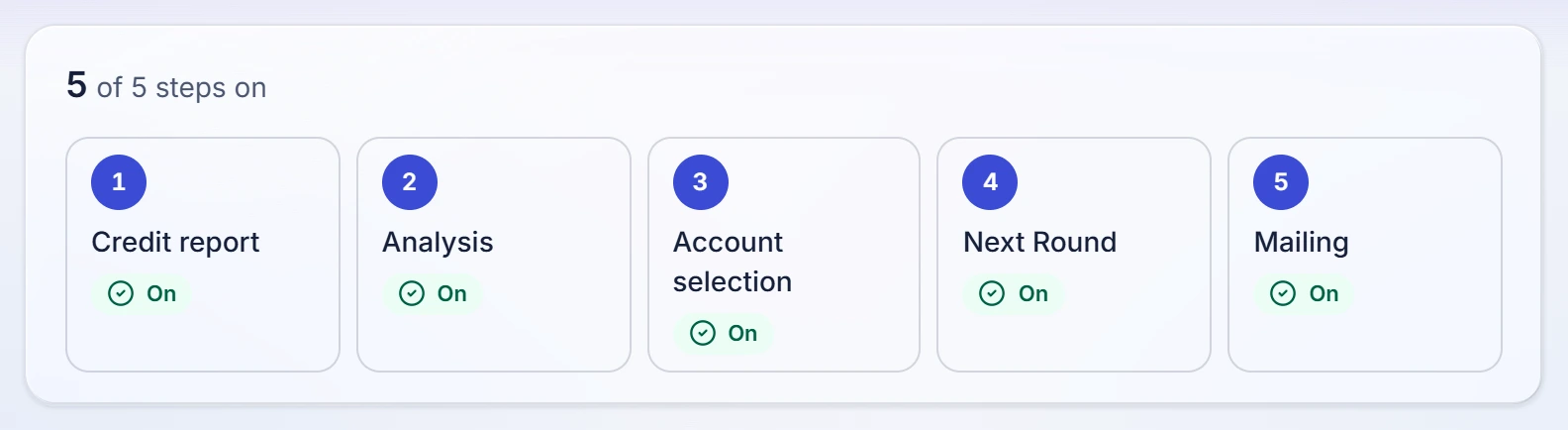
The five steps
Five steps. Each one is off until your Admin turns it on.
In Round order. Each step has its own settings and its own statement your Admin accepts.
Report retrieval
Gets each Round's Current 3B from SmartCredit once the client's SmartCredit account is connected. Round 1 orders a new report. From Round 2 on, CreditImpact first uses a recent report the client already ordered, when it can confirm no earlier Round used it, and otherwise orders a new one from the client's SmartCredit plan.
Stays with your team: Connecting the client's SmartCredit account.
Analysis
Starts the Round's analysis as soon as the verified report is in. Analysis uses 0 Credits.
Stays with your team: Confirming a report that is missing a bureau, and checking bureau data that is older than 30 days or undated.
Account selection
Selects the accounts and dispute routes CreditImpact recommends and prepares the disputes, using your agency's Credits at its current prices. It selects up to 5 units per Round, or fewer if you set your own limit. A unit is one account, one authorized-user account or one group of duplicate accounts. The limit is a maximum, not a target.
Stays with your team: Any Round Autopilot hands back.
Mailing
Mails each ready bureau package as physical mail by Certified Mail or Certified Mail + Electronic Return Receipt, whichever your Admin chooses. A package set to First Class Mail comes back to your team to send. Packages are mailed only under the client's approved Consumer Details. Clients set to Manual Mailing Only are mailed by your team.
Stays with your team: Consumer Details, the client's identity documents, First Class packages, and anything that comes back in the mail.
Next Round
Once every package has been mailed, nothing has come back and 42 days have passed, Autopilot starts the client's next Round. If you choose, it first waits for someone at your agency to confirm the bureau responses were reviewed. Opening the Round and getting its report are separate steps: the new Round then waits for a fresh Current 3B, which Report retrieval gets if it is on.
Stays with your team: Returned mail, and getting the new report when Report retrieval is off.
Agency control
Your Admin sets the rules before anything runs.
Only an Agency Admin can turn a step on or off. Turning one on means making its choices and accepting a short statement of exactly what CreditImpact will do. If that statement changes, the step asks again before it runs. Everyone else on your team can see the settings.
Selection limit. Automatic Selection, up to 5 units per Round, or your own maximum from 1 to 5.
Mailing service. First Class, Certified, or Certified with Electronic Return Receipt. Your Admin picks one before mailing can run. Certified and Certified with Electronic Return Receipt are mailed automatically; First Class packages come back to your team to send.
Next Round. Continue when eligible, or require a bureau response review first.
One client. A different mailing service, or Manual Mailing Only, set on that client's page.
Turning a step off. New automatic work stops right away. Work that is already done stays done.
Your setup
Leave a step off and your team keeps it.
Autopilot isn't all or nothing. A few ways agencies set it up:
Analysis on, selection by hand
Every Round arrives analyzed, with the strategy built. Your analysts choose the accounts and routes.
Everything on except mailing
Autopilot prepares the letters. Your team reviews and sends each package.
Everything on, one exception
A client who needs special handling is set to Manual Mailing Only.
Consumer Details
Drafts early. Letters and mail only under approved Consumer Details.
Autopilot can prepare the dispute drafts before a client's Consumer Details are complete. Once the client's legal name and current mailing address are entered and approved, the letters are finished from those same drafts, with no new analysis and no new charge.
Packages are mailed only under the client's approved Consumer Details.
Credits
Autopilot uses your Credits, at your agency's prices.
Analysis uses 0 Credits. Disputes and mailings use Credits at your agency's current route and mailing prices, the same as when your team does the work. If your balance runs short, the waiting step pauses, shows up in Needs Attention, and continues by itself once Credits are added. See CreditImpact pricing →
Needs Attention
Needs Attention shows what only your team can do.
When a Round needs something only a person can give, it appears in Autopilot's Needs Attention panel on your Dashboard, with a link to the screen that resolves it: Consumer Details, mailing documents, a SmartCredit connection, older bureau data or Credits. Once it is in place, Autopilot picks the step back up. A package set to First Class appears there too, for your team to send.
The Round
Where Autopilot fits in the Round.
CreditImpact builds the strategy. Your agency chooses the path, by hand or through Autopilot. The Round runs Connect, Current 3B, Analyze, Strategy, Choose, Generate & Mail, then the next Round. Autopilot can run the Current 3B, Analyze, Choose, Mail and Next Round steps. The strategy and the letters are always built by CreditImpact, and connecting the client stays with your team. See how a Round runs → See the platform →
Common questions
Frequently asked questions
Practical questions agencies ask before turning on a step.
01Can we turn on only some steps?
Yes. Each step is turned on separately, with its own settings. Steps you leave off stay with your team.
02Who can change Autopilot settings?
Agency Admins. Each step is turned on with its choices and a statement the Admin accepts. Other team members can see the settings.
03How does Autopilot choose accounts and routes?
It uses CreditImpact's recommendation for the Round, in CreditImpact's order, up to your limit: 5 units per Round, or fewer if you set your own maximum. When selection is off, or a Round is handed back, your team chooses as usual.
04When does the next Round start?
Once every package of the Round has been mailed, nothing has come back and 42 days have passed. If you require a bureau response review, Autopilot waits for that confirmation first. The new Round then waits for its report: a fresh Current 3B, which Report retrieval gets if it is on.
05What do we need before packages are mailed?
The client's approved Consumer Details, their identity documents, your agency's return address, and the mailing service your Admin chose.
06How does Autopilot use Credits?
The same way your team does, at your agency's prices. Analysis uses 0 Credits. Disputes and mailings use Credits at your agency's current prices. If the balance runs short, the step waits and continues once Credits are added.
07Does Autopilot change results?
CreditImpact doesn't promise deletions, score improvements or specific bureau outcomes. Autopilot changes who runs each step, not how the bureaus respond.
Start with one client. Turn on one step.
Create your agency, connect a client through SmartCredit, and turn on the steps you want handled.